

Logitech POP Mouse Review 2025: The Best Wireless Mouse for Style and Function?
Need a wireless mouse that’s as fun as it is functional? The Logitech POP Mouse (Mist) brings a splash of personality to your desk with customizable emojis, a compact design, and SilentTouch technology. As a tech enthusiast who’s tested countless mice, I put this Bluetooth beauty through its paces for work, travel, and casual use to see if it lives up to the hype. Spoiler: its unique features and stylish Mist color make it a standout for students, creatives, and on-the-go professionals.
In this 2025 review, we’ll dive into the Logitech POP Mouse’s features, pros, cons, and how it compares to other top mice like the Logitech MX Anywhere 3S and Apple Magic Mouse. Is this the best wireless mouse for your needs? Let’s find out!
As an Amazon Associate, I earn from qualifying purchases.
Why Choose the Logitech POP Mouse?
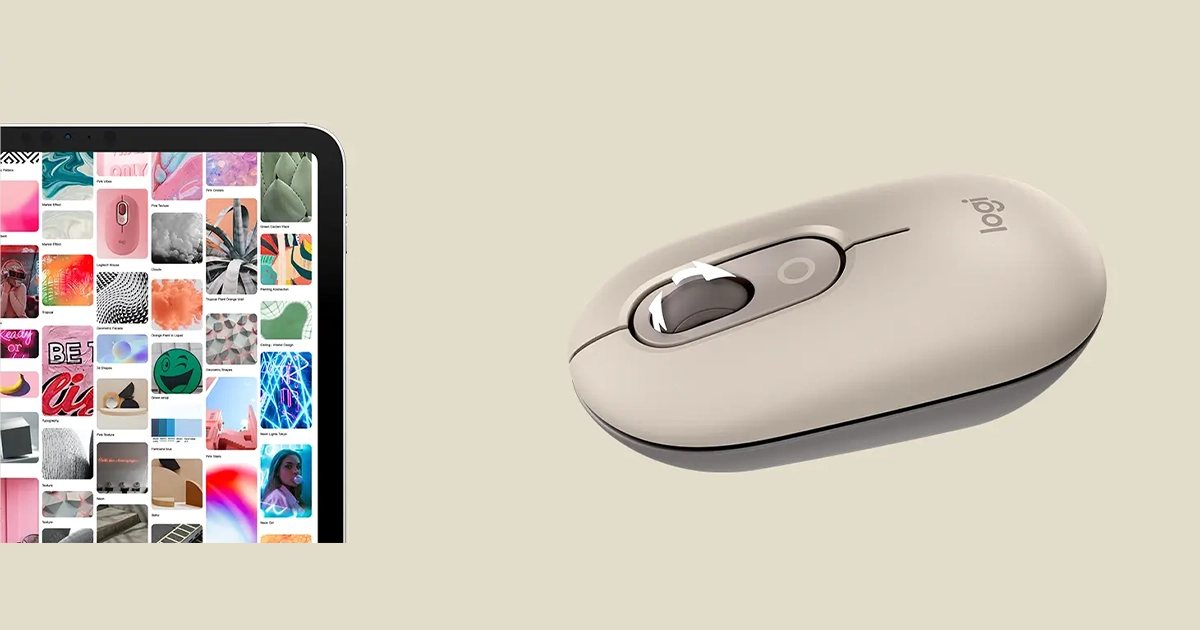
The Logitech POP Mouse isn’t just another wireless mouse—it’s a vibe. Launched by Logitech, it combines productivity with playfulness, featuring a SmartWheel for precision or speed scrolling and emoji keys you can customize via Logitech’s Options+ software. Its compact, lightweight design (82g) and multi-device connectivity (Bluetooth + USB Logi Bolt) make it ideal for laptops, tablets, and even smartphones across Windows, macOS, ChromeOS, and more.
I tested the Mist colorway—a soothing gray-green that looks sleek on any desk—during a week of remote work, travel, and light gaming. Its silent clicks and portability impressed me, but how does it stack up for everyday use? Let’s break it down.
Key Features of the Logitech POP Mouse
Customizable Emoji Keys: Assign emojis or shortcuts via Options+ software for quick access.
SilentTouch Technology: Reduces click noise by 90%, perfect for quiet environments like libraries or offices.
SmartWheel: Switches between precision and speed scrolling for efficient navigation.
Multi-Device Connectivity: Pairs with up to 3 devices via Bluetooth or Logi Bolt USB receiver.
Compact & Lightweight: 82g, easy to toss in a bag for travel or school.
Long Battery Life: Up to 24 months on a single AA battery.
OS Compatibility: Works with Windows, macOS, iPadOS, ChromeOS, Linux, and Android.
Mist Colorway: Stylish, modern aesthetic with a matte finish.


My Experience Testing the Logitech POP Mouse
As someone who’s reviewed tech gear for years, I was curious about the POP Mouse’s blend of quirky features and practical performance. Here’s what I found after using it for a week:
Comfort & Portability: The compact design fit perfectly in my hand, even during 6-hour work sessions. At 82g, it’s lighter than the MX Anywhere 3S (99g) and slipped easily into my laptop bag for travel.
Silent Clicks: The SilentTouch tech lived up to its promise—clicks were nearly inaudible, making it ideal for working in a quiet coffee shop. My colleagues didn’t notice a sound during Zoom calls.
Emoji Customization: Using Options+ software, I mapped the emoji key to open Slack and another to insert a smiley 😊. It’s a fun gimmick for social media managers or casual users, though I rarely used it for work.
SmartWheel Performance: The wheel’s auto-shift between precision and speed scrolling was smooth for browsing long documents or web pages. It’s not as refined as Logitech’s MX series, but it gets the job done.
Connectivity: Pairing with my laptop (Bluetooth) and iPad (Logi Bolt) was seamless. Switching devices via the button on the mouse’s base was quick, though I wish it was on top for easier access.
Battery Life: After a week, the AA battery showed no signs of slowing down. Logitech claims 24 months, which seems plausible based on my usage.
The Mist color looked stunning under desk lighting, but the plastic body attracted fingerprints. A quick wipe kept it pristine.
Pros and Cons
How Does the Logitech POP Mouse Compare?
| Mouse | Features | Price |
Logitech POP Mouse |
Bluetooth, Logi Bolt, Emoji Keys, SilentTouch, SmartWheel, 82g | Best For: Casual, Travel |
$30.00
|
Logitech MX Anywhere 3S |
Bluetooth, Logi Bolt, MagSpeed Wheel, High DPI, 99g | Best For: Productivity |
$80.00
|
Apple Magic Mouse |
Bluetooth, Multi-Touch Surface, 99g | Best For: Apple Users |
$75.00
|
Why Choose the POP Mouse?
It’s more affordable and lighter than the MX Anywhere 3S, with silent clicks and a fun emoji feature perfect for students or casual users. The MX Anywhere 3S is better for power users needing precision, while the Magic Mouse suits Apple ecosystems with its touch gestures. For budget-conscious buyers wanting style and portability, the POP Mouse shines.
Note: Prices vary; check Amazon for current deals.
Who Should Buy the Logitech POP Mouse?
This mouse is ideal for:
-
Students: Compact, quiet, and perfect for dorms or libraries.
-
Travelers: Lightweight and durable for on-the-go use.
-
Creatives: Emoji keys add flair for social media or content creation.
-
Casual Users: Affordable and stylish for everyday tasks.
If you’re a gamer or need advanced precision for design work, consider the Logitech MX series or a gaming-specific mouse.
Get Yours on Amazon
Buyer’s Guide: Choosing the Best Wireless Mouse
When picking a wireless mouse, consider:
Connectivity: Bluetooth or USB receivers for multi-device use.
Ergonomics: Compact designs suit travel; larger ones for long sessions.
Features: Look for programmable buttons, silent clicks, or advanced scrolling.
Battery Life: Rechargeable or AA/AAA for convenience.
Compatibility: Ensure it works with your OS (Windows, macOS, etc.).
The Logitech POP Mouse excels in portability, quiet operation, and cross-platform compatibility.
FAQs
Is the Logitech POP Mouse good for gaming?
It’s not designed for gaming due to its basic sensor. For gaming, consider the Logitech G Pro Wireless.
Can I use the POP Mouse with an iPad?
Yes, it pairs via Bluetooth or Logi Bolt and works with iPadOS, macOS, and more.
How do I customize the emoji keys?
Download Logitech’s Options+ software to assign emojis or shortcuts to the two programmable keys.
Is the SilentTouch technology really quiet?
Yes, clicks are 90% quieter than standard mice, making it ideal for shared spaces.
How long does the battery last?
Logitech claims up to 24 months on one AA battery, based on typical use.
Final Verdict
The Logitech POP Mouse (Mist) is a delightful blend of style, portability, and functionality for 2025. Its SilentTouch clicks, customizable emoji keys, and compact design make it perfect for students, travelers, and casual users who want a fun yet practical mouse. While it’s not suited for gaming or heavy productivity tasks, its affordability ($30-40) and 24-month battery life make it a great value. The Mist colorway adds a trendy touch to any setup.
Ready to add some personality to your desk? Grab the Logitech POP Mouse now and enjoy silent, versatile clicking wherever you go!
[related_articles posts=”3″]